Universal CLI links agents to 1000+ SaaS tools
Composio's Universal CLI connects agents to over 1000+ SaaS applications and 20,000+ tools without complex authentication flows. The industry is shifting toward autonomous agents that prefer CLI tools over slower, token-heavy Model Context Protocols for reliable execution. One curl install and one composio login expose the Ollama system's 8 specific tools to a coding agent, with OAuth, token refresh, and scopes handled at the CLI boundary instead of inside agent scripts.
That boundary is the product. Ollama models like llama2 and mistral stay local, the same interface reaches LangChain, CrewAI, and Google ADK, and what the CLI does not solve stays visible: the agent still has to pick the right tool, and the host still has to keep the binary and the login alive.
The Role of the Universal CLI in Modern Agent Architectures
Universal CLI as a Single Command Interface for Agents
The Universal CLI functions as a native bridge, allowing agents like Claude Code and Codex to execute external tool calls without complex MCP setup. This architecture shifts tool discovery from manual API integration to a unified interface where users inspect and run commands across various integrated services. By centralizing authentication handled via OAuth or API keys, the system manages credentials automatically, allowing users to connect once and have all CLI commands work with their credentials. Sensitive data is fully encrypted at rest and in transit to ensure security during these operations.
| Feature | Capability |
|---|---|
| Tool Count | 20,000+ actions available across integrated services |
| App Coverage | 1000+ SaaS applications supported |
| Security | Managed OAuth, API Keys, and full encryption |
Unlike model-dependent interfaces that lock functionality to specific backends, this approach supports model agnosticism, enabling agents to interact with various models including Ollama and DeepSeek via bash-pipe chaining. Composio's own argument for the shift is that coding agents work more comfortably with CLI tools than with MCP, which can be token hungry, slow, and unreliable for complex tool chaining. Relying on local CLI execution requires the host environment to maintain the Composio CLI installation and completed authentication flow. Builders gain rapid prototyping speed but must manage the underlying runtime stability themselves. This configuration prioritizes direct control over centralized abstraction, suiting engineers who require transparent command logs and immediate feedback loops.
Deploying Microservices and PR Reviews with CLI Tooling
Production systems deploy Llama Agents as modular microservices to isolate failure domains and scale independently. The Universal CLI serves as the control plane for these distributed units, executing typed commands with credentials applied automatically after the initial connection. This architecture allows operators to update authentication tokens centrally while the microservice logic remains static.
Developer workflows similarly apply the OpenAI Codex CLI to automate pull request reviews across repositories. The OpenAI Codex CLI is explicitly deployed for PR review tasks to analyze code diffs and post structured feedback directly to the merge request. This application demonstrates how command-line interfaces function as the execution layer for autonomous coding tasks.
| Deployment Target | CLI Function | Operational Benefit |
|---|---|---|
| Llama Microservices | Orchestration interface | Isolated credential scope |
| Codex PR Reviews | Automated analysis | Consistent review standards |
The limitation of this approach is that the CLI process requires careful permission management. If an attacker gains access to the host running the CLI, they may inherit the scope of connected applications. Builders must therefore restrict CLI permissions to the minimum required for the specific microservice or review task.
The Universal CLI requires no server setup: it operates as a transient execution layer rather than a background service, so there is no framework CLI entrypoint to maintain for every connected application. The reduction in moving parts directly correlates to higher success rates in complex, multi-turn workflows where context switching often breaks brittle server connections.
| Feature | Universal CLI | MCP Servers |
|---|---|---|
| Setup Time | Instant (No Server) | Requires Deployment |
| Reliability | High (Stateless) | Variable (Stateful) |
| Auth Method | Managed OAuth | Custom Implementation |
Accepting a centralized client dependency replaces distributed server nodes. While MCP offers granular control over server-side resources, the tool discovery speed of the CLI accelerates development cycles for most engineering teams. Operators must weigh the need for persistent server state against the operational simplicity of a unified command interface. For immediate Ollama integration, the CLI provides a strong, low-friction path forward.
Inside the Integration Flow Between Ollama and Coding Agents
OAuth Authorization Flow for Ollama CLI Integration
Launching a coding agent and prompting it to "Authenticate with Ollama" initiates a secure OAuth authorization flow that bypasses manual credential handling. This mechanism intercepts the request to route commands locally, ensuring raw API keys never expose themselves to the agent's execution environment. The process relies on managed authentication to handle token refreshes and scopes automatically, a distinct advantage over static key configurations prone to expiration. Unlike standalone tools that emphasize an IDE-first approach, this CLI-based integration prioritizes terminal-native utility for autonomous workflows.
The technical sequence follows a strict order:
- The user launches the agent (e.g. Claude Code) and issues the authentication prompt.
- The CLI redirects to a sign-in page to validate identity.
- Upon completion, the integration flow activates, enabling immediate tool discovery.
A key limitation is that this method requires the host environment to support interactive browser redirects, which may fail in headless CI/CD runners without specific pipe configurations. Consequently, operators must verify that their deployment context allows for the initial handshake before expecting autonomous behavior. This architecture shifts the security boundary from the agent to the CLI wrapper, reducing the attack surface for credential theft. Builders gain a standardized interface where tool schemas remain typed and consistent, preventing injection errors common in unstructured natural language processing.
Executing Native Ollama Tools via Agent Prompts
Issuing natural language commands triggers the Universal CLI to map intent directly to native Ollama operations. Users request actions like List Models or Generate Text with Ollama, and the system translates these prompts into executable tool calls without manual API construction. This mechanism converts high-level agent reasoning into precise local model interactions, supporting workflows that demand autonomy across diverse environments.
The translation layer exposes eight typed actions to connected agents; four of them appear below:
| Tool Action | Function |
|---|---|
| Chat with Ollama model | Sends messages with conversation history |
| List Models | Returns installed model details |
| Show Model Information | Displays thorough model metadata |
| Generate Text with Ollama | Produces text responses in raw mode |
Natural language abstraction simplifies execution yet introduces a dependency on the agent's ability to select the correct tool from the available schema. If the agent misinterprets a request, it may invoke Show Model Information when a simple list was required, consuming additional tokens and latency. This constraint favors developer velocity over strict deterministic control, a shift observed as the system moves toward cross-surface operations. Builders must verify that their chosen agent correctly identifies these specific tool names to avoid execution failures. Validating tool selection logic during the initial setup phase prevents such mapping errors.
OpenAI-Compatible API Endpoints vs Native Ollama Commands
The integration distinguishes native execution from compatibility layers by routing requests based on the specific tool schema invoked. Agents apply OpenAI-Compatible Chat Completion to mirror standard API structures, allowing code written for remote providers to function against local inference engines without modification. This approach supports local inference compatibility by mapping external request formats to internal Ollama parameters dynamically. Conversely, native functions like Generate Text with Ollama bypass translation overhead, executing directly against the local binary for maximum throughput.
In practice, the choice between modes dictates latency profiles and feature availability for autonomous workflows.
| Feature | Native Commands | OpenAI-Compatible |
|---|---|---|
| Protocol | Direct CLI invocation | REST API emulation |
| Latency | Minimal overhead | Translation layer added |
| Use Case | Local-only workflows | Hybrid cloud/local |
| Schema | Proprietary JSON | Standard Chat Completions |
Relying on compatibility layers introduces a measurable, albeit small, serialization cost compared to direct tool use. The OpenAI-compatible endpoint enables rapid migration of existing agent logic yet restricts access to Ollama-specific parameters available only through native tool definitions. Pricing models for remote fallbacks vary notably; published rates for externally routed inference reach $0.60 per million tokens, whereas local execution remains free. Compatibility ensures breadth of integration, but native tooling provides the depth required for complex, low-latency agent orchestration. Builders should default to native schemas for production systems where performance is paramount.
Step-by-Step Configuration of Ollama Tools for Autonomous Agents
Defining the Ollama Toolkit Installation and Authentication Flow
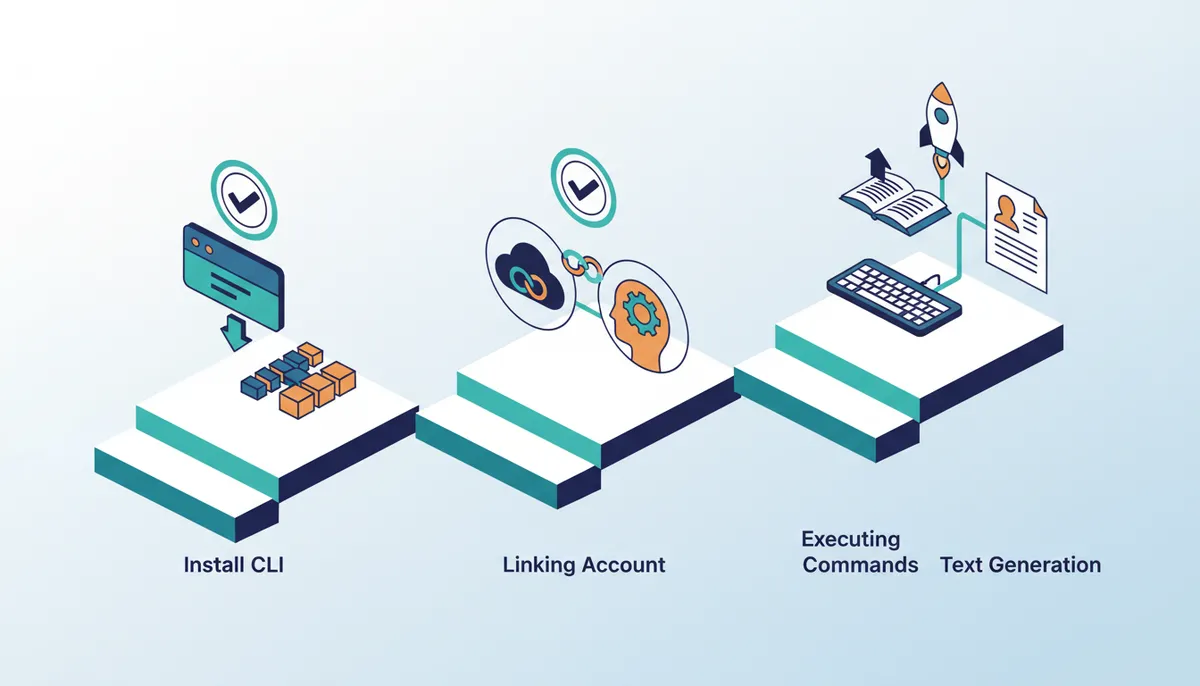
Deploying the managed auth layer starts by running curl -fsSL composio.dev/install | bash to place the Universal CLI binary on the system. After the binary lands, executing composio login triggers the secure handshake protocol. The command redirects the browser to a sign-in page, finalizing the link between accounts without ever exposing raw credentials to the agent environment. Token refreshes and scope management happen silently in the background, removing the burden of manual API key rotation.
Authentication happens at the CLI boundary rather than inside individual agent scripts. Connecting once via OAuth or API Key means every subsequent CLI command inherits those credentials automatically. Coding agents then access Ollama tools through typed schemas instead of fragile, hand-rolled HTTP requests. Native support exists for Claude Code, Codex, and OpenCode, eliminating the need for separate MCP setups.
Executing Ollama Chat and Text Generation via CLI Commands
Running chat sessions and text generation tasks requires invoking the composio tools execute command with specific model flags. This direct method skips complex API wrappers, routing requests through a managed auth layer that handles token renewal instantly. The sequence below shows text generation using the mistral model while verifying active connections without manual credential injection.
- Run
composio tools execute OLLAMA_GENERATE --model "mistral"to produce raw text completions. - Execute
composio connected-accounts list --toolkits ollamato confirm the session state. - Inspect input schemas via
composio tools info OLLAMA_CHATbefore sending conversation history.
This workflow transforms a local inference engine into a reliable component for autonomous orchestration. Users run custom prompts with llama2, retrieve model info for all installed models, and generate text completions using mistral. The CLI manages authentication transparently while operators keep full control over model selection. Available models like gemma3:4b become accessible via OLLAMA_CHAT and OLLAMA_GENERATE actions. Model versioning stays under explicit operator command while the CLI handles the underlying routing logic.
Checklist for Verifying Ollama Tool Discovery and Schema Inspection
Confirm active discovery by listing the full toolkit inventory before scheduling any autonomous task.
- Execute
composio tools list --toolkit ollamato enumerate all eight registered actions. - Search specific capabilities using
composio tools search "ollama"to filter by action name. - Inspect the input schema for
OLLAMA_CHATto verify required parameters like message arrays.
Centralized credential handling replaces setups where agents juggle isolated API keys. Autonomous systems need to validate tool signatures dynamically instead of trusting static configurations.
| Command | Function | Output Format |
|---|---|---|
list |
Enumerates toolkit | JSON array |
search |
Filters actions | List of tools |
info |
Shows schema | Typed definition |
Verifying schema structure matters because type generation delivers autocomplete and type safety directly into projects.
Resolving Common Authentication and Execution Failures in Agent Workflows
Defining Schema Mismatches and Token Expiration in Agent Workflows
Function calling phases often crash when input structures do not match remote expectations. Autonomous workflows prioritize speed over strict validation, creating frequent mismatches that force orchestrators into useless retry loops. Token expiration creates a different problem where valid logic fails because authentication headers have gone stale. Modern OAuth flows demand fresh access tokens to keep connections alive, unlike simple API key rotations. Automated systems manage OAuth, API keys, token refresh, and scopes so builders focus on construction instead of manual checks before every run. CI/CD pipelines benefit when users set COMPOSIO_API_KEY as an environment variable to stop leakage in logs while the platform handles underlying expiration logic. Ignoring these constraints wastes compute cycles and breaks agent chains.
Addressing these issues requires shifting from static configuration to flexible tool discovery and validation.
Debugging Tool Execution with Composio Logs and Jq Formatting
Raw JSON responses overwhelm terminal output and hide specific error payloads during execution stalls. Operators should pipe command results through jq to format nested structures for immediate readability. Running composio tools execute TOOL_NAME -d '{}' | jq transforms dense API responses into indented, navigable text. This approach isolates syntax errors in the input schema before the agent attempts complex chaining. Tracing runtime failures requires inspecting the internal event stream rather than guessing at network timeouts. The command composio dev logs tools surfaces hidden exceptions during tool execution that standard output suppresses. These logs reveal whether a failure stems from a local configuration mismatch or a remote service rejection.
Hidden costs emerge when developers ignore structured logging in favor of iterative guessing.
- Increased latency during agent orchestration due to repeated failed calls.
- Wasted compute cycles on retries triggered by unhandled schema mismatches.
- Obscured root causes when error messages remain buried in unformatted streams.
- Delayed detection of scope limitations in OAuth tokens.
The limitation of this method is its reliance on local log retention; distributed traces across microservices may require additional aggregation layers. Builders must prioritize readable output streams to maintain velocity when function calling chains break. Integrating these debug patterns early helps prevent opaque failure modes in production workflows.
Validating Cross-App Triggers Before Scaling Agent Count
Schema inspection covers one tool at a time; cross-app chains fail on the seams between them. Two checks remain once the schemas are clean:
- Test cross-surface triggers to ensure event data propagates correctly between distinct application contexts.
- Verify token refresh mechanisms work under load before scaling agent count.
Standalone execution models offer isolation but often lack the shared context required for complex chaining without explicit schema enforcement. This approach shifts failure modes from runtime exceptions to compile-time warnings, notably improving reliability in production agent deployments.
About
Marcus Chen, Lead Agent Engineer at AI Agents News, brings direct production experience in orchestrating multi-agent systems to this analysis of the Composio Universal CLI. His daily work involves rigorously testing tool-use mechanics and function calling across frameworks like CrewAI and AutoGen, making him uniquely qualified to evaluate why command-line interfaces may outperform Model Context Protocols for complex chaining. At AI Agents News, Chen focuses on dissecting how coding agents interact with local models via tools like Ollama, separating genuine architectural improvements from marketing hype. This specific integration matters to our engineering audience because it addresses critical pain points in authentication flows and token efficiency that Chen encounters when building evaluation harnesses. By grounding this review in practical implementation details rather than vendor claims, he provides the technical clarity software engineers need to decide if this approach solves their specific latency and reliability challenges in autonomous agent deployment.
Conclusion
Scaling agent orchestration exposes a critical fragility: unvalidated schemas convert minor integration drift into cascading runtime failures. While external routing for large models can incur costs reaching $0.60 per million tokens, the operational tax of debugging opaque, unformatted error streams often exceeds these compute expenses. Relying on local log retention creates blind spots in distributed traces, obscuring root causes like OAuth scope limitations until they halt production workflows. The shift from iterative guessing to compile-time schema enforcement is not merely an optimization but a prerequisite for stable autonomy.
The narrower claim this integration actually supports is modest: authentication moves out of agent scripts and into the CLI boundary, and eight typed Ollama actions become reachable from Claude Code, Codex, or OpenCode without a server to run. Everything above that line stays the operator's problem, from tool selection accuracy to schema drift.
Frequently Asked Questions
Attackers accessing the host may inherit full application scope. Builders must restrict CLI permissions to minimum requirements to prevent broad security breaches across connected systems.
The system requires no server setup for immediate deployment. Users avoid complex infrastructure costs while gaining direct access to over 1000 integrated SaaS applications instantly.
Coding agents prefer CLI tools because MCPs are often slow and token hungry. This shift enables quicker, more reliable execution for complex tool chaining scenarios.
Agents gain access to eight distinct tools within the Ollama system. This allows natural language execution of custom prompts and model info retrieval without manual token management.
The interface supports diverse frameworks including LangChain, CrewAI, and Google ADK. This model agnosticism enables smooth interaction with various local and cloud-based large language models.
References