Composio tool router beats static OpenRouter limits
Connecting OpenAI Agents SDK to Openrouter MCP unlocks 13 tools for natural language model management.
The Composio tool router acts as the critical infrastructure layer, transforming static agent frameworks into flexible systems capable of executing complex hosted MCP operations. It removes the manual friction of token refresh cycles and scope permissions across multiple providers, a bottleneck that frequently halts production deployments. By centralizing authentication flows, the architecture lets developers focus on orchestration logic rather than API maintenance. The reliance on SQLite sessions for state persistence further illustrates how modern agent design prioritizes continuity alongside raw computational power.
The Openrouter MCP server serves as a bridge, enabling agents to perform unified model completions and query model catalogs directly through conversational prompts. The following walkthrough details the exact configuration steps to initialize a Tool Router session. Your agent gains secure access to OpenRouter resources while Composio handles the underlying OAuth complexity. This approach eliminates the need to embed sensitive keys directly into codebases.
The Role of Composio Tool Router in Modern Agent Architectures
Composio Tool Router vs Fixed OpenRouter MCP Servers
Static OpenRouter MCP setups hand agents a rigid menu of model interaction tools, capping them at basic completion and credit checks. The Composio Tool Router shatters this ceiling by enabling flexible loading of tools from OpenRouter plus external services like Gmail and GitHub through one endpoint. This shift moves operations from manual server upkeep to runtime capability identification.
| Feature | Fixed OpenRouter MCP | Composio Tool Router |
|---|---|---|
| Tool Scope | Static, model-centric only | Flexible, multi-app integration |
| Authentication | Manual API key management | Managed OAuth and token refresh |
| Discovery | Pre-configured list | Runtime task-based search |
| Available Tools | Limited to model ops | 13 tools plus external apps |
The system handles OAuth, API keys, token refresh, and scopes automatically, sparing developers from hardcoding credentials for every service.
Fixed servers promise predictable latency for model-only jobs. The dynamic router adds a discovery step that brings negligible but non-zero overhead to the first token generation. High-frequency trading models needing strict determinism might stick to static configs, while general-purpose agents gain a wider action space without extra orchestration code. This constraint marks the line between specialized model wrappers and generalist autonomous agents.
Executing Flexible Tool Discovery in OpenAI Agents SDK
Runtime tool discovery begins when the OpenAI Agents SDK asks the Composio Tool Router for capabilities fitting the current task context. Static configs cannot match this flexibility, as the SDK dynamically spots needed toolkits like Gmail or GitHub based on immediate operational needs. If the router finds no auth config for a picked toolkit, it creates a secure Auth Link instead of crashing the request. This design forces an explicit user authorization step before any action runs. One endpoint now serves diverse apps, eliminating the need for multiple standalone servers.
Initial authentication handshakes add latency if credentials lack pre-provisioning. Designers of time-sensitive agent loops must plan for this round-trip delay. Greater setup complexity buys broader tool interoperability. AI Agents News suggests this pattern for agents needing access to changing tool sets across many providers.
Security Compliance and Setup Steps for MCP Integration
Deploying OpenRouter MCP via Composio's tool router demands validating SOC 2 Type 2 compliance prior to enabling flexible tool discovery. This architecture encrypts data at rest and in transit, securing the bridge between agent logic and external LLM providers. Operators should pick hosted MCP tools when runtime flexibility beats the need for static, pre-configured endpoints. The initial configuration typically completes within 30 seconds, bypassing manual OAuth complexity through automated scope verification.
- Verify SOC 2 Type 2 attestation status for the routing layer.
- Confirm encryption standards cover both resting and transit states.
- Validate automatic token refresh mechanisms before production traffic.
Standalone servers restrict agents to fixed catalogs, but the router permits flexible tool loading based on task demands. Reliance on router availability creates a single point of failure for all downstream model access, a critical limitation. Builders must balance managed authentication convenience against centralized dependency risks. Properly configured scopes stop privilege escalation while keeping the fluidity needed for multi-step workflows. AI Agents News advises strict scope auditing to curb excessive permissions during the discovery phase.
Inside the Data Flow of Hosted MCP Tool Execution
Composio's Three-Phase Discovery and Auth Workflow
A search for tools matching a specific task kicks off the entire sequence, returning the toolkits with full details. This Discovery phase lets the agent spot necessary capabilities without needing pre-loaded configurations. Next, the Authentication step checks for active connections and builds an auth config if one is missing, serving up a connection URL through a secure link. Execution follows right away, performing the action using the authenticated connection through a secure MCP endpoint. Agents dynamically load tools based on real-time requirements rather than static lists.
| Phase | Primary Function | Security Mechanism |
|---|---|---|
| Discovery | Tool matching | Runtime filtering |
| Authentication | Credential validation | Managed OAuth flow |
| Execution | Action completion | Secure MCP tunneling |
Flexible loading of tools represents a critical architectural choice; fetching schemas at runtime allows the agent to identify the toolkits for a task without pre-loaded configurations. This approach can reduce token usage and improve the reliability of tool calls by ensuring the agent only accesses necessary capabilities. The hosted MCP model centralizes this complexity, allowing agents to operate across diverse providers without embedding individual provider logic. Credential management stays with the router, so sensitive tokens never enter the agent execution context, and one MCP endpoint covers every action the agent invokes.
Validating Framework Compatibility for LangChain and CrewAI
The integration architecture explicitly lists LangChain and CrewAI alongside Vercel AI SDK, Mastra AI, LlamaIndex, and Google ADK as compatible frameworks for routing actions. This compatibility enables agents to dynamically select models from a unified catalog without modifying core application logic. A comparison of supported environments reveals distinct operational modes for different agent types.
| Framework Category | Example Implementations | Primary Integration Method |
|---|---|---|
| Agent Orchestration | LangChain, CrewAI | Native Tool Router |
| Code Assistants | Cursor, VS Code, Codex | Extension Protocol |
| SDK Native | OpenAI Agents SDK, Google ADK | Direct import |
Operators should note that while support is confirmed, the underlying mechanism relies on the host framework's ability to parse structured tool definitions dynamically. Builders should ensure their chosen orchestration layer supports the necessary imports to successfully initialize the tool router session. That compatibility spans orchestration frameworks, code assistants, and native SDKs alike.
Configuring AI Agent Integration with Openrouter
Defining the OpenAIAgentsProvider and Composio Instance Roles
The OpenAIAgentsProvider class bridges the OpenAI Agents SDK with external tool routers. This component creates the necessary link for Composio infrastructure. Inside this setup, the Composio instance serves as the authentication manager. It validates API keys and selects toolkits while keeping credentials hidden from agent logic. Developers start this instance using a specific API key plus the provider reference to lock down the session.
- Initialize the Composio core with your API credentials.
- Pass the OpenAIAgentsProvider to the instance constructor.
- Define the user identity for session tracking.
Tool discovery stays separate from execution permissions. The provider outlines what an agent can do, while the instance enforces access rules for chosen toolkits. Composio SDK locates correct tools at runtime by managing these abstraction layers. Agents dynamically load utilities based on immediate task requirements.
Implementing the Tool Router Session with Openrouter Toolkit
Running composio.create with a set user ID and the 'openrouter' toolkit array produces the secure MCP URL needed for flexible access. This function call starts a session where the Composio instance checks credentials against the USER_ID environment variable. The tool router builds this secure MCP URL so agents can execute actions safely.
Session parameters need precise configuration to let OpenAI Agents SDK route requests through the Composio MCP Router. The resulting mcp.url works as a temporary endpoint. API keys stay managed inside the router instead of leaking into the agent runtime context.
Authentication logic separates from execution flow here. Agents invoke OpenRouter actions without touching raw credentials directly. Composio SDK follows a workflow checking active connections first. It builds an auth config if missing, then returns a connection URL. This method supports how agents use tools dynamically.
Verifying Environment Variables and Dependency Imports
Missing dependencies cause immediate module not found crashes during startup. Developers run npm install @composio/openai-agents @openai/agents dotenv to get libraries for Typescript or Python environments. This command fetches OpenAI Agents SDK parts needed for hosted tool execution. The .env file needs three specific strings after installation: OPENAI_API_KEY, COMPOSIO_API_KEY, and USER_ID.
| Variable | Scope | Risk if Missing |
OPENAI_API_KEY |
Model Access | Authentication rejection |
COMPOSIO_API_KEY |
Tool Routing | Toolkit discovery failure |
USER_ID |
Session Context | Session validation issues |
The following imports are mandatory for the agent to function:
Composiofrom@composio/coreOpenAIAgentsProviderfrom@composio/openai-agentsAgent,hostedMcpTool,run, andOpenAIConversationsSessionfrom@openai/agents
Environment variables do not load by default: dotenv has to be configured explicitly before the Composio instance is created, or the OpenAI API Key stays undefined in process memory and the run fails at startup.
Unified Tool Routing in Practice: Live Sessions and Platform Choice
Live Chat Sessions Across the 13 OpenRouter Tools
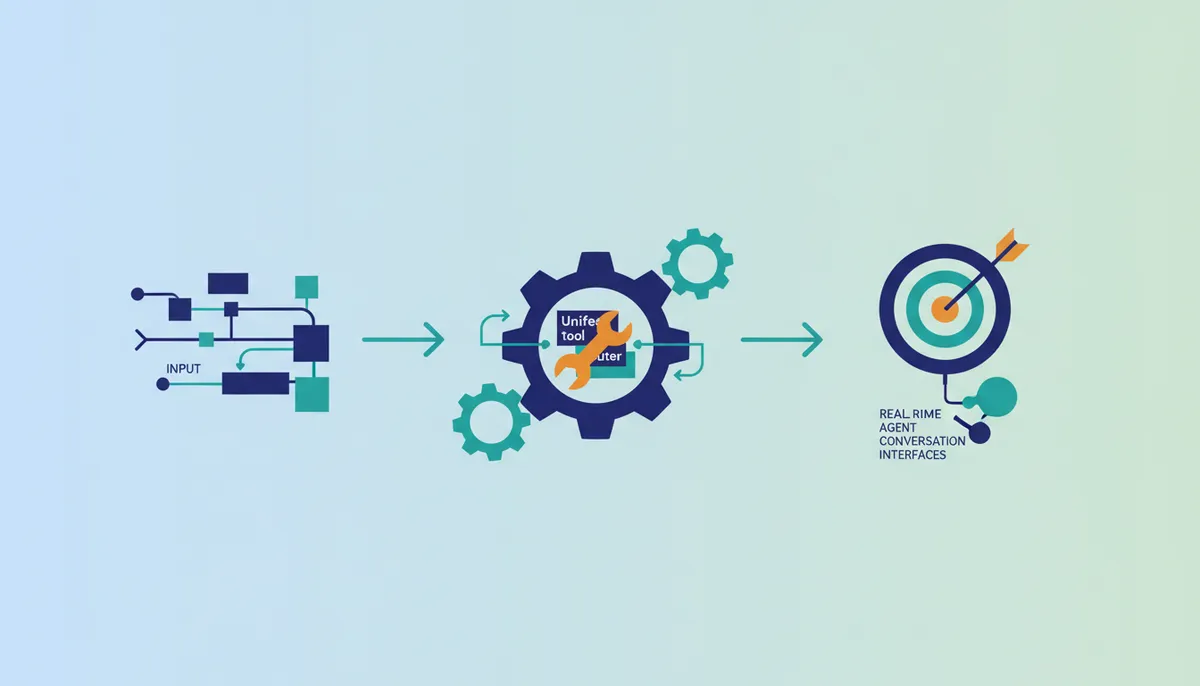
Operators launch live chat by binding the OpenAI Agents SDK to a router session that exposes the full set of out-of-the-box tools. The agent then executes the Create Chat Completion Tool or queries the Get Credits Tool straight from a natural language prompt, while the Composio MCP Router maps intent to the matching OpenRouter function. Static configurations demand a code change for every capability added; here the inventory resolves at runtime, and engineers exchange localized control for not maintaining API keys and token refresh logic across services.
Builders evaluating this integration for MCP must weigh dynamic flexibility against the complexity of self-hosted auth chains. Workflows preferring static paths exist, yet general-purpose assistants benefit from the expanded catalog provided by the router. The Composio SDK helps agents find the right tools for a task at runtime by plugging in multiple toolkits such as Gmail, HubSpot, and GitHub.
- Gmail integration for communication
- HubSpot connectivity for CRM updates
- GitHub access for code management
- OpenRouter model switching
- Real-time credit monitoring
Where Composio Beats a Generalist Automation Platform
Engineers select Composio over generalist automation platforms when deployments require handling niche tools and tricky edge cases. Generalist platforms excel at standard HTTP triggers. They often lack the specialized protocol adapters necessary for complex MCP integration scenarios involving flexible model switching. The Composio Tool Router addresses this gap by supporting deep, native actions for specific frameworks rather than generic API wrappers. This depth allows builders to rely on pre-validated schemas for credit monitoring and generation retrieval instead of constructing fragile request bodies manually.
Choosing hosted MCP tools becomes necessary when an agent must interact with provider-specific metadata or manage authentication scopes across multiple LLM vendors simultaneously. This architecture supports teams prioritizing operational stability by handling authentication and tool discovery automatically. Users benefit from a cohesive environment where the agent intuitively understands available capabilities through the Composio SDK workflow.
About
Marcus Chen, Lead Agent Engineer at AI Agents News, brings deep practical expertise to this analysis of routing OpenRouter MCP tools within the OpenAI Agents SDK. Having shipped production multi-agent systems, Chen specializes in the mechanics of tool orchestration and function calling across frameworks like CrewAI and LangGraph. His daily work involves rigorously testing how agents manage OAuth flows, token refreshes, and context switching between diverse LLM endpoints. This specific integration guide reflects his hands-on evaluation of how unified API platforms interact with lightweight agent frameworks to enable smooth model switching. At AI Agents News, Chen's mission is to provide engineers with factual, build-focused insights that cut through vendor marketing. By dissecting the technical realities of connecting OpenRouter to the OpenAI Agents SDK, he helps technical founders and engineering leaders understand the actual capabilities and limitations of current agentic architectures without hype or bias.
Conclusion
A static OpenRouter MCP server hands an agent a fixed menu of model operations. The Composio Tool Router replaces that menu with runtime discovery, managed OAuth and one secure endpoint that also reaches Gmail, HubSpot and GitHub. The price is explicit: a discovery step before the first token, an authorization round-trip whenever credentials are missing, and a single routing layer whose availability gates every downstream model call.
The rule of thumb follows from that trade: take the managed router when the agent needs tool discovery across platforms it does not own, and keep static definitions when one provider and a predictable latency budget are the whole requirement.
Frequently Asked Questions
The integration exposes 13 tools for model management, among them unified completions and model catalog queries. The agent holds none of their schemas locally: it asks the router for the toolkits that match the task, and the definitions arrive at runtime.
The router owns the credentials, so nothing sensitive sits in the codebase and scopes are not wired by hand. The price is centralization: that same router becomes a single point of failure for every downstream model call.
One discovery round-trip before the first token, plus an authorization round-trip whenever credentials were never provisioned. Loops bound by strict determinism keep static configs; general-purpose agents absorb the delay for a wider action space.
Missing credentials trigger the system to return a secure Auth Link instead of crashing the request. This forces an explicit user authorization step before any action runs to ensure security compliance.
The design relies on SQLite sessions for state persistence to prioritize continuity alongside raw computational power. This ensures conversation history persists across interactions within the lightweight framework.
References