Universal CLI: Modernize Cursor Agents Today
Accessing 1000+ SaaS applications through the Composio Universal CLI modernizes how agents interact with Cursor. Cursor operates as an AI-powered code editor built on VSCode, yet its utility expands significantly when agents bypass complex setup hurdles. While Cursor pricing sits at $16/month for individuals seeking IDE-first capabilities, the real efficiency gain comes from eliminating manual authentication management. The Composio Universal CLI handles OAuth and API keys automatically, allowing agents like Claude Code and Codex to list active cloud agents or summarize analytics without token refresh interruptions.
The industry is converging on CLIs over MCPs for complex tool chaining because native agent support requires no MCP setup. This approach enables the execution of over 20,000 tools across the supported app system. By focusing on concrete command structures rather than abstract protocol layers, developers achieve higher parallelism and more stable agent interactions within their existing Cursor environments.
The Role of the Universal CLI in Modernizing Cursor Agent Architecture
Composio Universal CLI as a Unified Interface for 1000+ SaaS Apps
The Composio Universal CLI replaces complex Model Context Protocol setups with a single command interface for direct tool access. This terminal-first architecture contrasts sharply with the IDE-first model where agents remain embedded within the editor environment. By shifting execution to the shell, the system enables agents to search, inspect, and execute 20,000+ tools across 1000+ apps from one unified point. The mechanism generates typed schemas locally, ensuring autocomplete functionality and type safety without requiring remote schema fetching. This approach resolves the token inefficiency often observed in MCP configurations while maintaining strict authentication handling through managed OAuth flows.
| Feature | Legacy MCP | Universal CLI |
|---|---|---|
| Architecture | Server-dependent | Native binary |
| Tool Count | Limited | 20,000+ tools |
| Auth Method | Manual config | Managed OAuth |
| Schema Type | Flexible JSON | Generated Types |
Operators must manage CLI environment variables rather than relying solely on editor extensions. Local binary execution introduces a dependency on the host system's shell capabilities, which may vary across diverse development environments. Consequently, teams must standardize their shell configurations to ensure consistent tool discovery behavior across all developer machines. For organizations evaluating costs, the high parallel agent execution included in the $16/month tier justifies the infrastructure overhead for large teams.
Developers execute natural language commands to orchestrate cloud agents directly within the IDE-first environment of Cursor. This workflow replaces manual configuration files with flexible, authenticated shell invocations managed by the Composio Universal CLI. Instead of hardcoding credentials, users connect once via OAuth, after which the system handles token refresh and scope validation automatically. The CLI exposes specific actions like listing active agents or retrieving conversation history through typed schemas that ensure autocomplete precision.
This architecture supports a hybrid model where heavy code authoring remains in the editor while file navigation and script execution occur in the terminal. Such separation allows teams to index conversations from Cursor and other tools into local databases for semantic search, addressing context loss in cloud-only histories. The Universal CLI enables this by generating type definitions on demand, allowing agents to inspect tool inputs before execution.
Agents chaining multiple tool calls without explicit schema inspection risk input mismatch errors. Builders must instruct agents to verify tool info before execution to maintain stability. This method ensures that cloud agents operate with verified permissions and up-to-date interface definitions.
Why Coding Agents Prefer Direct CLIs Over Token-Heavy MCP Servers
Coding agents prioritize direct CLIs because Model Context Protocols often consume excessive tokens during complex tool chaining. Unlike MCP servers, which introduce latency through verbose schema exchanges, the Composio Universal CLI provides a lightweight interface for immediate execution. This architectural shift matters as developers increasingly favor terminal-first workflows; for instance, Cline is trusted by developers worldwide for its strong command-line integration.
Operational overhead distinguishes the two approaches. MCP implementations frequently require maintaining stateful server processes that drain context windows, whereas CLIs execute stateless commands that return strictly necessary data. Operationally, this means agents avoid the token bloat associated with serializing full protocol handshakes for every interaction. While some competitors like Cline support MCP integration as a baseline feature, the industry trend favors direct shell access for reliability.
| Feature | Direct CLI | MCP Server |
|---|---|---|
| Latency | Low (Immediate exec) | High (Handshake overhead) |
| Token Cost | Minimal | Variable/High |
| Setup | Single binary | Server process mgmt |
| Reliability | High | Dependent on uptime |
Rich metadata from MCPs competes with the raw speed agents need for iterative tasks. The cost of maintaining persistent MCP connections often outweighs the benefit of their structured discovery when an agent simply needs to run a script. Consequently, the Universal CLI eliminates the middleman server, allowing Cursor agents to interact with 1000+ SaaS applications directly. This reduction in abstraction layers ensures that automation remains responsive even as workflow complexity increases.
Inside the Mechanics of Typed Schema Generation and Authentication Flows
Typed Schemas, Managed OAuth and the SOC 2 Checkpoint
The CLI generates typed schemas to ensure autocomplete and type safety in projects. This process converts raw API endpoints into strict language-specific definitions, preventing agents from hallucinating invalid parameters during execution. Developers can generate TypeScript types for Cursor by running a single command that outputs interface definitions matching the tool's current schema.
- The system fetches the latest tool discovery metadata from the connected application.
- It compiles this data into a local definition file compatible with the agent's runtime.
- The coding environment ingests these types to provide immediate validation and suggestions.
This architecture contrasts with terminal-first agents like Cline, which operate via command-line interfaces but still benefit from structured output when interacting with external SaaS platforms. By enforcing rigid input contracts, the Universal CLI eliminates a common failure mode where agents attempt to pass string arguments to integer-only fields. Schemas must be regenerated whenever upstream API signatures change to maintain accuracy. Without this synchronization, the local type definitions would diverge from the remote service, causing silent execution failures.
Authentication flows initiate immediately when an agent executes the link command, redirecting users to a secure browser session. The system manages OAuth, API keys, token refresh, and scopes, allowing developers to focus on building without manual credential rotation. Sensitive data like tokens and keys are fully encrypted at rest and in transit, ensuring that API Key Management remains secure against leakage during multi-step tool chaining.
| Feature | Manual Auth | Universal CLI |
|---|---|---|
| Token Refresh | Manual Update | Automatic |
| Scope Handling | Static Config | Flexible |
| Storage | Local Plaintext | Encrypted |
Initial scope selection presents a hard constraint; if a user denies a specific permission during the OAuth grant, the agent cannot request it again without re-linking the account. This constraint forces operators to carefully define tool discovery requirements before the first connection. For builders, this means authentication state becomes an explicit deployment dependency rather than an implicit environment variable.
Enterprise integration requires verifying that the platform maintains SOC 2 Type 2 compliance before deploying agents into production workflows. This validation step confirms that sensitive tokens and keys remain fully encrypted at rest and in transit throughout the authentication lifecycle. While the signup process reportedly takes 30 seconds, security teams must prioritize audit trails over speed when configuring access for large organizations.
| Control Domain | Requirement | Validation Method |
|---|---|---|
| Compliance | SOC 2 Type 2 | Review audit report |
| Data State | Encrypted at rest | Inspect storage config |
| Transmission | Encrypted in transit | Verify TLS 1.3 usage |
| Auth Flow | Managed OAuth | Test token refresh |
Developers fixing authentication failures should ensure the CLI manages OAuth scopes rather than exposing raw secrets to the shell environment. This approach aligns with security postures adopted by platforms like Zencoder that enforce zero code storage policies. Relying on unverified third-party scripts for credential handling introduces unnecessary risk vectors that typed schemas cannot mitigate. AI Agents News recommends validating these encryption standards internally before granting broad tool discovery permissions to autonomous agents.
Deploying the Universal CLI to Automate Cursor Workflows
Installing the Composio CLI and Authenticating via OAuth
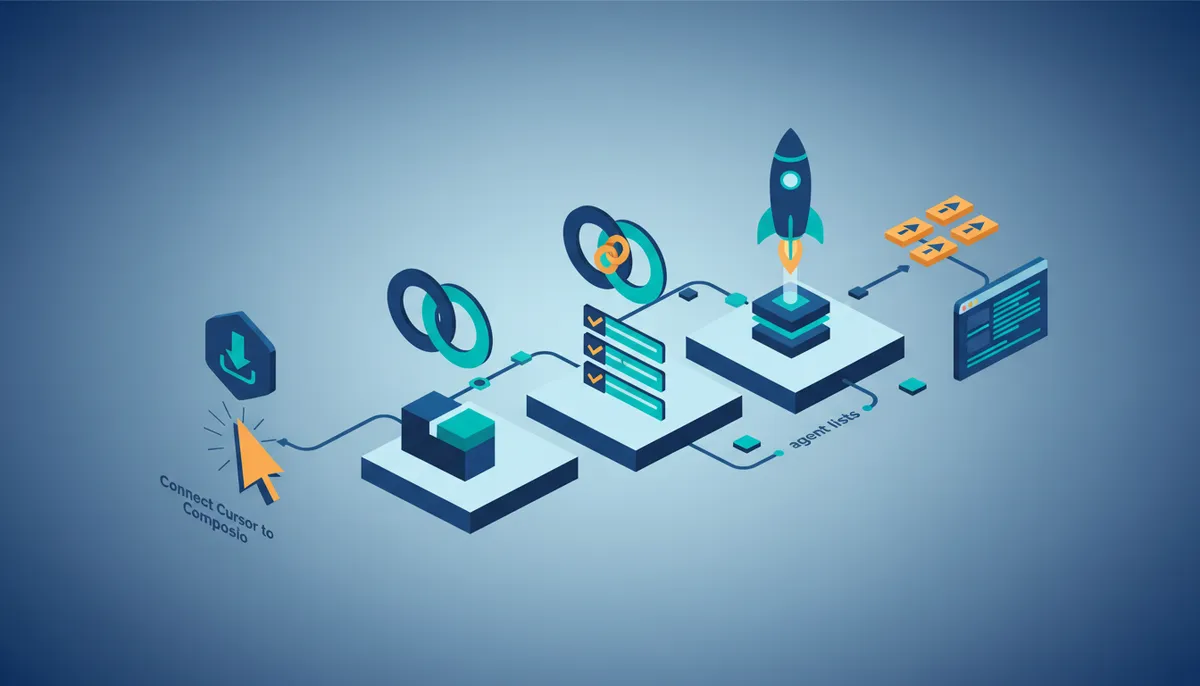
Execute curl -fsSL composio.dev/install | bash to deploy the binary, establishing the local runtime required for agent communication. This installation provides a stable, typed interface that coding agents like Claude Code execute natively within terminal environments. Following the binary deployment, running composio login initiates a mandatory browser redirect to complete the OAuth handshake. This flow securely exchanges credentials for an access token, ensuring that subsequent tool calls to Cursor carry valid authorization headers without manual key rotation.
The authentication sequence binds the local CLI session to the user's cloud identity.
Initiate the linkage by executing composio connected-accounts link cursor, which triggers the browser-based OAuth handshake required for secure access. Once the browser confirms the grant, the CLI stores the credential locally, binding the session to the specific toolkit context.
Confirm the connection status before attempting tool execution to ensure proper authorization during agent runs.
- Run
composio connected-accounts list --toolkits cursorto display linked accounts. - Inspect the output for the specific user email and toolkit details.
With the link verified, agents can invoke specific tools like CURSOR_GET_ME to retrieve metadata such as key names and owner emails. This capability allows coding agents to self-audit their permissions before attempting privileged operations on the Cursor platform. The shift from static environment variables to flexible tool execution uses managed auth to handle token refresh and scopes automatically. However, this architecture introduces a dependency on the local CLI binary remaining present and updated in the agent's execution path.
Validating Connections and Discovering Available Cursor Tools
Execute composio tools list --toolkit cursor to enumerate available actions and confirm the local runtime detects the linked account. This command returns a typed schema list, allowing operators to verify that specific functions like Get Agent Conversation are accessible before agent deployment.
- Run
composio tools search "cursor"to filter actions by keyword when the full list exceeds terminal visibility. - Confirm High parallelism capabilities, as agentic review notes distinct concurrency advantages over standard IDE plugins.
Both checks run before an agent starts, so a missing link or an unavailable action surfaces at the terminal rather than mid-run.
Strategic Advantages of CLI-Based Automation Over Traditional MCP
Defining CLI Efficiency: Token Savings vs MCP Overhead
Direct command-line execution removes the heavy context building that slows down Model Context Protocols. A native CLI interface lets agents work with almost no overhead, which is why coding agents now prefer terminal tools. Authentication and tool discovery happen automatically, skipping the verbose handshakes server-based protocols demand.
Developers mixing IDE authoring with terminal agents for file navigation find direct CLI access superior to indirect protocol bridges. Open-source options like Cline run on terminal-first workflows without direct licensing costs. The token savings from bypassing MCP overhead determine whether running autonomous agents at scale remains viable.
Transitioning demands agents with strong shell interaction skills. Tools like Claude Code, Codex, and OpenCode apply CLI tools natively. High-frequency tasks where latency and cost-per-call matter most benefit from CLI-native integrations. Typed schemas maintain safety while keeping direct execution efficient.
Executing Cursor Tools: Inspecting Schemas and Piping Output
Checking a tool's input schema before running it stops malformed requests dead in their tracks using composio tools info. This command displays the exact structure needed for the CURSOR_GET_AGENT_CONVERSATION action. Agents supply valid parameters immediately, avoiding trial-and-error crashes. Operators must verify the input schema to grasp nested needs for pulling conversation history or API key details.
Raw CLI output formatting boosts readability for downstream parsing. Piping results through jq turns dense JSON into clear structures: composio tools execute TOOL_NAME -d '{}' | jq. Agents extract specific fields like agent IDs or repository lists from available toolkits easily with this method.
| Command Pattern | Function | |
composio tools info |
Validates input schema structure | |
| `composio tools execute TOOL_NAME -d '{}' \ | jq` | Formats JSON for agent ingestion |
composio dev logs tools |
Audits execution traces |
Fixing broken automations needs clear sight into execution logs. Running composio dev logs tools reveals timestamped errors that generic agent replies hide. Engineers separate authentication failures from payload mismatches using this granular view.
Relying only on CLI output assumes agents parse structured text well. Unformatted streams might need extra processing to stay stable. Cursor conversation data is accessible for indexing, yet the CLI stays the main way to execute commands in real-time rather than analyzing bulk history. Schema inspection acts as a pre-flight check, reducing runtime friction in production pipelines.
About
Diego Alvarez serves as Developer Advocate at AI Agents News, where he specializes in hands-on build guides and rigorous framework comparisons. His daily work involves constructing autonomous agents with CrewAI, AutoGen, and LangGraph, giving him direct insight into the friction points of tool integration. This specific experience makes him uniquely qualified to analyze the Composio Universal CLI and its intersection with coding editors like Cursor. Having benchmarked numerous coding agents, Diego understands the critical shift from token-heavy Model Context Protocols (MCPs) to efficient CLI-based interactions. At AI Agents News, his role focuses on helping engineers navigate these evolving architectures without vendor hype. By testing these tools end-to-end, he evaluates how universal CLIs handle authentication and complex tool chaining for real-world applications. This article reflects his commitment to providing factual, runnable detail on how developers can use CLI workflows to build more reliable, cost-effective agentic systems.
Conclusion
The case for the CLI is narrow and mechanical: one binary, managed OAuth in place of per-tool configuration, and typed schemas generated locally so an agent can inspect a tool's inputs before it calls them. That combination is what removes the protocol handshake from every interaction, and with it the token cost that made server-based tooling expensive to run at volume. Relying solely on GUI-based integrations inflates that cost again through heavy context windows, which is why terminal-first workflows trade conversational convenience for explicit schema validation. Unformatted streams still require reliable parsing logic to prevent runtime friction as automation volume grows.
Adopt a hybrid strategy where critical path automations apply typed CLI schemas for efficiency, reserving interactive IDE sessions for exploratory development. This approach balances the need for rapid iteration with the financial reality of recurring licensing fees. You should implement this transition immediately if your current agent error rates exceed acceptable thresholds or if token consumption spikes during bulk operations.
Start by running composio dev logs tools this week to audit your current execution traces for authentication failures versus payload mismatches. This granular visibility allows you to separate environmental noise from genuine logic errors before expanding your agent fleet. Prioritizing this diagnostic step ensures your infrastructure handles scale without requiring a complete architectural overhaul.
Frequently Asked Questions
The individual tier costs $16/month for IDE-first capabilities. This price point includes high parallel agent execution, justifying the infrastructure overhead for teams needing concurrent automation tasks.
No, the system operates natively without any MCP setup requirements. This eliminates token-heavy protocols, allowing agents to access over twenty thousand tools through a single unified command interface efficiently.
It manages OAuth and API keys automatically after a single connection. Users avoid manual token refreshes, ensuring agents maintain continuous access to Cursor analytics and conversation histories securely.
It generates typed schemas locally to ensure autocomplete precision. This approach prevents remote fetching delays, enabling agents to inspect tool inputs before execution for more reliable workflow automation.
Yes, the platform supports high parallelism for multiple agents simultaneously. This capability distinguishes it from competitors with lower limits, making the monthly tier viable for large teams.
References