Cline agent: open runtime for PlanAndAct workflows
Cline serves millions of developers as a unified open-source agent runtime. It kills vendor lock-in by functioning as a single Plan-and-Act entity that operates smoothly across editors, terminals, and software development kits. Its architecture allows teams to understand codebases, refactor large projects, and automate workflows without being tethered to a specific proprietary model provider.
The project's rapid expansion is evident in its 64.2k stars on GitHub and more than 8 million installs recorded across all platforms. Unlike closed alternatives, this Apache 2.0 licensed runtime executes bash commands, manages multi-file edits, and integrates with Claude, GPT, and local Ollama instances simultaneously. It handles everything from live dev servers to recurring cron jobs while maintaining strict import and type consistency.
The model-agnostic design prevents system fragmentation and opens deep customization via the MCP protocol. The same runtime deploys into VS Code, headless CI/CD pipelines, and custom SDK integrations that use its multi-agent coordination capabilities.
The Role of Cline as a Model-Agnostic open-source Agent
Cline as a Plan-and-Act open-source Agent
Cline functions as a model-agnostic open coding agent that unifies IDE, terminal, and CI/CD workflows through its Plan-and-Act architecture. The project operates under the Apache 2.0 license, ensuring the orchestration layer remains free from mandatory subscription fees while separating intelligence costs to the model provider. This structure lets millions of developers apply the tool without vendor lock-in for the agent itself. Unlike competitors charging $20/month for core functionality, Cline enables users to bring their own keys for Claude, GPT, or local Ollama endpoints.
The system distinguishes itself by executing coordinated multi-file changes with linter-aware fixes and one-click undo capabilities. Users toggle Plan mode to align on strategy before the agent Acts to execute commands, handling long-running dev servers or tests live in the terminal. This approach supports complex refactoring where imports and types must remain consistent across large codebases. However, the separation of orchestration and intelligence requires operators to manage API credentials and rate limits independently, adding an operational layer absent in fully managed SaaS alternatives.
| Capability | Function |
|---|---|
| Understand | Analyzes files, dependencies, and behavior |
| Refactor | Modifies code while preserving type safety |
| Automate | Runs scripts via CLI in CI pipelines |
The reliance on external model providers means performance variance depends entirely on the selected backend rather than the agent runtime. AI Agents News identifies this trade-off as critical for enterprises requiring air-gapped deployments with local weights.
Executing Refactors and Automations with Cline CLI
Cline CLI executes coordinated multi-file refactors by applying linter-aware fixes with diffs, checkpoints, and one-click undo on every step. The agent performs coordinated changes across large codebases while keeping imports, types, and behavior consistent. Every file edit and terminal command requires explicit user approval before execution, a core security specification of the design. The cost of this strict guardrail is manual friction during rapid iteration cycles where speed outweighs safety. Builders must configure auto-approve selectively for trusted patterns to maintain velocity without compromising the Plan-and-Act integrity.
Users apply Cline CLI in scripts, cron jobs, and CI pipelines to run recurring checks and custom workflows.
What those scripts run against is not fixed, and that shows up in how the runtime differs from a closed agent:
| Feature | Cline Approach | Proprietary Agent Standard |
|---|---|---|
| Model Support | 30+ LLMs via API or local weights | Single vendor family only |
| Cost Structure | Free orchestration; pay provider | Monthly SaaS fee plus usage |
| Configuration | Repository-level .clinerules |
Platform-wide global settings |
| Deployment | Terminal, IDE, or CI/CD pipeline | Cloud-hosted web interface |
Users can ship .clinerules files within their repository to enforce coding standards and architectural constraints specific to each project. This capability allows the agent to adapt to diverse team conventions without requiring manual re-prompting for every session. The reliance on external API keys means service availability depends entirely on the chosen provider's uptime and rate limits. Builders gain full control over data sovereignty but must manage multiple API credentials and billing accounts.
Inside Plan-and-Act Mode and Multi-Model Architecture
Mechanics of Cline Plan-and-Act Mode Switching
Activating Plan mode forces the underlying model to generate a step-by-step proposal before any code modification occurs. This state establishes a strict boundary where reasoning separates from action, preventing premature file edits. Users review the proposed sequence to verify logical consistency against repository constraints. Switching to Act mode authorizes the agent to execute the approved plan via terminal commands or file writes. Such separation contrasts with direct model usage where reasoning and execution often interleave without explicit user validation. Increased interaction latency during the initial alignment phase represents a constraint compared to fully autonomous agents. This friction reduces catastrophic errors in complex refactoring tasks by requiring human verification of the strategic plan.
Safety and velocity often conflict; strict approval gates secure the codebase but slow down iterative development loops. Builders must configure auto-approve policies carefully to balance these competing operational goals.
Executing Terminal Commands and Live Output Reaction
Cline executes bash commands and reacts to streaming terminal output to manage long-running dev servers dynamically. This live output reaction capability allows the agent to parse error logs as they appear, enabling immediate correction loops without full command termination. When a development server fails a health check, the agent intercepts the specific failure signal and attempts a targeted fix before the process crashes. Such behavior transforms the code automation tool from a static script runner into an adaptive supervisor capable of handling transient infrastructure states.
Autonomy introduces tension between speed and safety: the same streaming loop that repairs a failing dev server can keep acting on a wrong signal, which is why the approval gate stays in the path.
Configuring OpenAI-Compatible Endpoints and Keys
Connect custom AI models by entering any OpenAI-compatible API endpoint URL and your personal authentication key within the provider settings. This configuration bypasses vendor restrictions, allowing the agent to route requests through private infrastructure or alternative providers like local Ollama instances. Users facing model connection errors should verify that the endpoint string includes the full path and that the key possesses chat completion permissions. The system supports a Bring Your Own Key model, ensuring inference costs remain directly tied to the user's account rather than a bundled subscription.
| Configuration Element | Requirement | Purpose |
|---|---|---|
| API Endpoint | Full URL string | Routes traffic to custom or local servers |
| Auth Key | Valid token | Authenticates requests to the model provider |
| Model Name | Exact identifier | Selects the specific reasoning engine |
Developers can access free models via the CLI without purchasing keys, reducing entry barriers for experimentation. The architectural trade-off is that users must manage their own API rate limits and token budgets across different providers. Unlike closed ecosystems, this approach demands manual credential rotation but grants full control over data residency and model selection. AI Agents News recommends testing endpoints with simple prompts before enabling auto-approve features in production environments.
Deploying Cline Across VS Code, CLI, and CI/CD Pipelines
Cline CLI Installation and VS Code Extension Setup
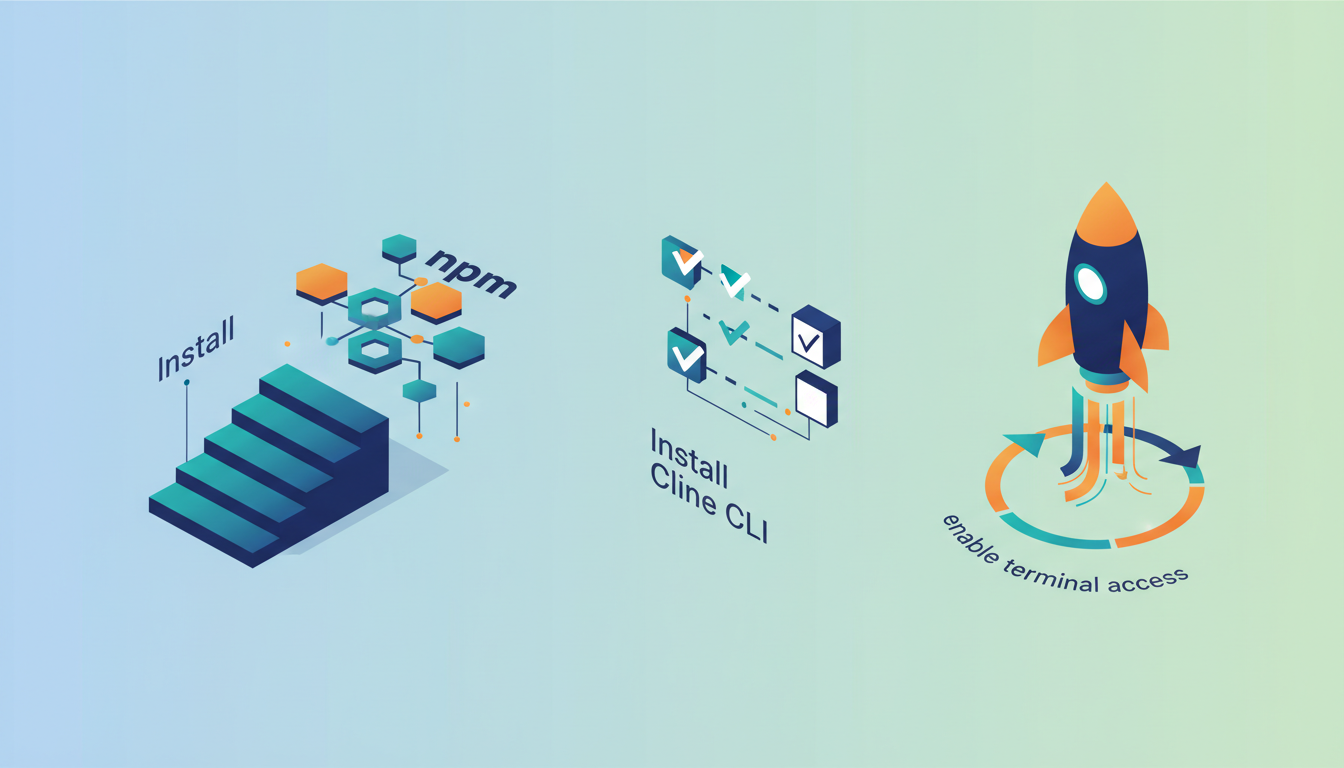
Install the global package via npm to activate the agent within any shell environment. This single binary enables headless mode for running agents in CI/CD pipelines without an IDE, a capability introduced in the February 2026 release of Cline CLI 2.0. Users execute the command npm i -g cline to establish the runtime, which subsequently operates as one agent across IDEs, terminals, and SDKs. Transitioning to the editor requires adding the Visual Studio Code extension, originally published by Saoud Rizwan. This interface exposes Plan-and-Act controls that separate strategic reasoning from code execution, ensuring users validate multi-file changes before the agent writes to disk. Both the CLI and extension share a common configuration file, allowing teams to ship .clinerules that enforce coding standards regardless of the entry point. The architectural decision to unify these interfaces means repository-specific rules apply identically whether a developer interacts via chat or a cron job. This portability demands that users manage their own API keys for any OpenAI-compatible API, shifting cost responsibility from a vendor subscription to direct infrastructure spend. Eliminating vendor lock-in requires operators to maintain valid credentials across all deployment targets manually.
Automating Workflows with Cline CLI in CI/CD and Cron
Headless mode moves the agent from an interactive chat interface to a background execution engine that handles recurring checks and custom workflows with no IDE in the loop. Builders integrate the tool into GitHub Actions by invoking the binary within a workflow step, allowing the agent to parse repository structure and apply linter-aware fixes before compilation.
- Install the global package using
npm i -g clineto access the runtime in any shell environment. - Configure environment variables for your chosen model provider to maintain a bring-your-own-key security posture.
- Execute the agent in a script to perform coordinated multi-file changes or dependency updates.
Operators can schedule these scripts via cron jobs to run nightly dependency audits or documentation synchronization tasks. This approach uses the agent's ability to react to terminal output streams, enabling it to self-correct when long-running tests fail mid-execution. Educational materials like the Complete Vibe Coding Masterclass demonstrate this versatility by building finance dashboards and games through similar automated loops. Direct model usage often interleaves reasoning with execution, yet the CLI enforces a distinct boundary where the agent must complete its plan before yielding control. A critical tension exists here: enabling full autonomy in shared pipelines risks unintended side effects if Plan mode validation is skipped during initial setup. Connecting to external systems like Slack requires custom tool registration via the SDK rather than native configuration flags. AI Agents News recommends isolating these automated runs in feature branches to contain potential errors before merging.
Automating Refactoring Workflows with .clinerules
Defining .clinerules for Repo-Specific Standards
The .clinerules file functions as a repository-level configuration that encodes architectural constraints and linting preferences directly into the agent's context window. By shipping this manifest with source code, teams enforce consistent coding standards without requiring manual prompt engineering for every task. This mechanism teaches the Cline agent specific deployment conventions, ensuring that generated diffs align with existing project structure before execution begins. Unlike generic system prompts, these rules persist across sessions and remain effective whether the agent operates within an IDE or runs in headless mode inside a CI pipeline.
Teams apply .clinerules to scale agent adoption while maintaining strict governance over code quality. The file allows users to define custom coding standards, architecture patterns, and deployment conventions specific to their repository. For teams seeking to implement similar guardrails, it is recommended to validate rule syntax against a staging branch before merging to production.
Verifying Multi-File Edit Consistency and Linter Compliance
A rules file constrains what the agent writes; it does not decide when a human looks at the result. That gate is configured separately.
Validate coordinated edits by confirming the agent resolves import paths and type definitions before finalizing any commit. This verification step prevents broken builds when Cline applies coordinated multi-file changes across complex dependency trees. Operators should review the proposed changes using the built-in diff view before granting final approval.
- Scan diffs to ensure import statements match the updated file structure.
- Run local linters to catch syntax errors the agent may have missed.
- Verify type safety remains intact across module boundaries.
- Confirm that checkpointing allows immediate restoration if issues arise.
| Validation Target | Failure Mode | Mitigation Strategy |
|---|---|---|
| Imports | Missing references | Explicit diff review |
| Types | Mismatched interfaces | Compiler pass |
| State | Unintended side effects | One-click undo |
Every file edit requires explicit user approval, acting as a mandatory gate against autonomous errors. Auto-approve trades that gate for autopilot, so it belongs only to patterns the team has already watched succeed.
About
Sofia Berg serves as Research Editor at AI Agents News, where she specializes in translating complex agentic research into actionable insights for builders. Her deep literacy in multi-agent systems and evaluation benchmarks like SWE-bench makes her uniquely qualified to analyze Cline, an open-source coding agent runtime. Unlike surface-level overviews, Berg's daily work involves rigorously dissecting how agents apply tools and orchestrate tasks within environments like VS Code. This expertise allows her to contextualize Cline's 8M+ installs and Claude integration against actual engineering needs rather than marketing hype. At AI Agents News, Berg ensures that coverage of frameworks and coding agents remains grounded in technical reality. By connecting Cline's cross-platform capabilities to broader trends in autonomous development, she provides the precise, caveat-aware analysis that software engineers require to evaluate whether this agent fits their secure shipping workflows.
Conclusion
Scaling autonomous coding agents introduces a hidden operational cost: the cognitive load of validating complex, multi-file diffs. While Cline eliminates the $20/month subscription barrier found in competitor tools, it shifts the burden of quality assurance entirely to the developer. Blindly approving autonomous refactors risks breaking import paths or corrupting type definitions across your codebase. You must treat every generated diff as untrusted code until verified by local linters and compiler passes. The convenience of headless execution in GitHub Actions or GitLab does not remove the need for human oversight on logic consistency.
That is the real trade of an open runtime: the $20/month line leaves the invoice and comes back as review time, credential management, and rate limits the team now owns. It pays off where the alternative is a single vendor family behind a cloud-hosted interface, and it does not pay off where nobody has time to read a diff. Plan mode and checkpoint restores are what keep the second case from becoming the next broken build.
Frequently Asked Questions
Cline costs $0 for the agent runtime, while competitors charge $20 monthly for core features. Users must still pay separately for their chosen LLM API usage or run local models to complete the setup.
The project records more than 8 million installs across all platforms and 64.2k stars on GitHub. Those figures cover the open-source runtime under the Apache 2.0 license, not the model behind it, which each user brings and pays for separately.
No, the tool is model-agnostic and works with Claude, GPT, or local Ollama instances. Any OpenAI-compatible endpoint qualifies as long as the URL carries the full path and the key holds chat completion permissions, which is what lets teams switch providers without touching the orchestration layer.
It separates strategy alignment from execution to ensure every change is reviewed before application. Users can toggle auto-approve for trusted patterns but maintain manual control over complex multi-file edits and terminal commands.
Yes, the CLI runs in scripts and cron jobs to handle recurring checks automatically. Operators should configure specific rule sets via a .clinerules manifest to govern behavior when interactive approval mechanisms are unavailable.
References